Follow us

Search
For health professionalsContact usPress Enter to search. For products, try the shop filter.
 (08) 6110 0570
 admin@pdchealthhub.com.au
Press Enter to search. For products, try the shop filter.
(08) 6110 0570admin@pdchealthhub.com.auCompare the sensors sold in Australia, see what the NDSS covers, and answer four quick questions to find the ones worth talking through with a credentialled diabetes educator.
A continuous glucose monitor, or CGM, is a small sensor you wear on your skin, usually on the back of your upper arm or your tummy. It checks your glucose level every few minutes, day and night, and sends it to your phone. Instead of a single number from a finger prick, you see where your glucose is now, which way it is heading and how it has changed through the day.
PHOTO NEEDED · Adult client with a CGM sensor on the back of the upper arm, looking at a glucose graph on a phone, face visible, natural light, clinic or home setting. Landscape 4:3.
PHOTO NEEDED · Close-up of a hand holding a phone showing a glucose trend arrow, sensor visible on the upper arm, no face. Landscape 4:3.
Most sensors sold in Australia are factory calibrated, so routine finger-prick checks are not needed. Keep a meter for when a reading does not match how you feel.
PHOTO NEEDED · Parent at a kitchen bench reading a glucose alert on a phone while a child wearing a sensor plays nearby, both faces visible, guardian consent. Landscape 4:3.
Set alarms for high and low glucose, and on some sensors a warning before a low arrives. Family and carers can follow your readings on their own phones.
PHOTO NEEDED · Credentialled diabetes educator and client at a clinic desk reviewing a time in range report on a laptop, both faces visible. Landscape 4:3.
Time in range, overnight trends and responses to meals show up in reports your diabetes team reviews with you. For people living with type 1 diabetes, CGM use is linked with lower HbA1c and more time in range.
New to CGM? Here is what happens, from putting a sensor on to seeing your glucose on your phone.
Illustration, not to scale. The filament sits in the fluid just under your skin, not in a blood vessel.
A small applicator places the sensor on your skin, usually on the back of your upper arm or your tummy. A tiny needle slides a thin, flexible filament just under the skin, then pulls straight back out. Most people say they barely feel it.
The filament sits in the fluid around the cells under your skin, called interstitial fluid. Glucose moves from your blood into this fluid, so the sensor can measure it without taking any blood.
Every one to five minutes, depending on the sensor, the reading goes by Bluetooth to an app on your phone, a separate reader or your insulin pump.
Each sensor lasts 7 to 15 days, depending on the brand, then you replace it. After a new sensor goes on, it takes 30 minutes to 2 hours to warm up before readings start.
Every CGM app looks a little different, but they all show the same four things. The numbers on this example screen match the notes beside it.
Example screen only. Your app, colours and target range may look different.
The large number is your glucose level in mmol/L. It runs about 6 to 12 minutes behind your blood glucose, because glucose takes time to move into the fluid under your skin.
The arrow shows direction and speed. A flat arrow means steady. An angled arrow means rising or falling. An arrow pointing straight up or down means changing quickly, and some sensors show two arrows when glucose is changing very quickly.
The graph shows where your glucose has been, with your target range shaded. It helps you see how meals, activity, insulin and sleep affect you.
Your phone can sound or vibrate when glucose goes too high or too low, and some sensors warn you before a low arrives. You and your diabetes team choose the levels, and family members can follow your readings on their own phones.
A CGM makes everyday diabetes care easier, but it helps to know its limits. Our credentialled diabetes educators go through these points with everyone starting on a sensor.
Glucose takes about 6 to 12 minutes to move from your blood into the fluid under your skin. When glucose is changing quickly, such as during exercise or after treating a hypo, your CGM and a finger-prick check can show different numbers. That is expected.
Keep a blood glucose meter and strips. The NDSS advises a finger-prick check when your symptoms do not match your CGM reading, when your glucose may be changing quickly, before giving insulin to correct a high, and before treating a hypo. You will also need your meter if you need a reading while a new sensor warms up, or if a sensor stops working.
Pressure on the sensor, for example sleeping on that arm, can give a falsely low reading, often overnight. If a low alarm wakes you and you feel well, check with a finger prick before you treat.
A few substances can affect some sensors. For example, more than 1 gram of paracetamol every 6 hours can raise Dexcom readings, and more than 1,000 mg of vitamin C a day can raise FreeStyle Libre readings. Tell us what you take and we will check it against your sensor's instructions.
Tell staff that you wear a sensor before an MRI, CT scan, x-ray or heat treatment (diathermy). The rules differ between brands and some sensors must come off first, so check with the imaging team or your sensor's instructions.
Use a different spot each time so your skin can recover, and apply the sensor to clean, dry skin. If you notice redness, itching or a rash, or the sensor keeps lifting, talk to us about barrier products and overpatches.
Call us to book a first sensor start. We fit it with you, set up your phone and alerts, and show you what the numbers mean.
Call (08) 6110 0570Answer four quick questions and the list of sensors below the questions filters to the ones that fit you, best match first. It is a starting point for a conversation with your diabetes team, not a prescription.
Question 1 of 4
NDSS-subsidised sensors are for people living with type 1 diabetes and some similar conditions.
A pump can only adjust insulin automatically with a sensor it is built to work with.
Some sensors are approved for adults only.
Pick the one that would make the biggest difference.
Living with type 1 diabetes, you are likely to be eligible for NDSS-subsidised sensors. An endocrinologist or credentialled diabetes educator signs your access form, and our team can do this with you.
The NDSS subsidy does not cover type 2 or gestational diabetes at present, so sensors are self-funded. Running costs differ a lot between brands, so ask us to compare them for your situation.
Not sure of your diabetes type? Your GP or diabetes team can confirm it, and it decides whether you can get subsidised sensors.
Nothing fits every answer. Try a different priority, or book a consult and we will work through the options with you.
Based on Australian availability and NDSS listings checked 17 September 2026. Your diabetes team makes the final call on which sensor suits you.
Every sensor listed below. Answer the questions above to filter this list, or select a sensor for the full details.
PHOTO NEEDED · Product photo goes in this sensor's CGM Image field in the CMS. Transparent or white background, 1200px wide.
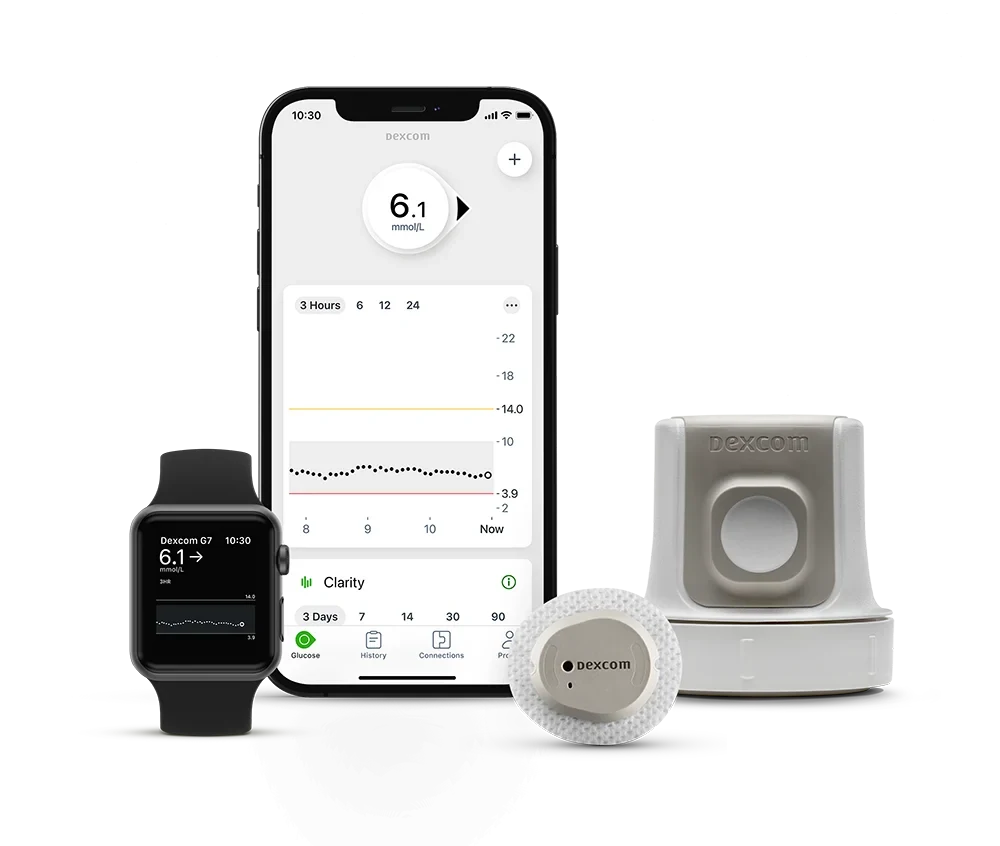
PHOTO NEEDED · Product photo goes in this sensor's CGM Image field in the CMS. Transparent or white background, 1200px wide.

PHOTO NEEDED · Product photo goes in this sensor's CGM Image field in the CMS. Transparent or white background, 1200px wide.

PHOTO NEEDED · Product photo goes in this sensor's CGM Image field in the CMS. Transparent or white background, 1200px wide.

PHOTO NEEDED · Product photo goes in this sensor's CGM Image field in the CMS. Transparent or white background, 1200px wide.
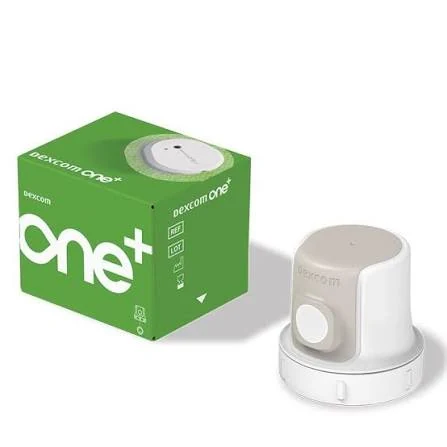
PHOTO NEEDED · Product photo goes in this sensor's CGM Image field in the CMS. Transparent or white background, 1200px wide.
PHOTO NEEDED · Product photo goes in this sensor's CGM Image field in the CMS. Transparent or white background, 1200px wide.

PHOTO NEEDED · Product photo goes in this sensor's CGM Image field in the CMS. Transparent or white background, 1200px wide.

PHOTO NEEDED · Product photo goes in this sensor's CGM Image field in the CMS. Transparent or white background, 1200px wide.
It depends on your exact phone and on which sensor you use, and the makers change their lists whenever a new phone or operating system arrives. Type your phone below and this will tell you what each maker's current list says. The maker's own page is always the final word, so every result links to it.
Start typing a brand and model, for example Galaxy S24 or iPhone 15. A plus model is a different phone, so include the plus if you have one, such as Galaxy S26+. You can also type the model number from your phone's settings, such as SM-S921.
We do not hold that phone in our list, which does not mean it will not work. Open the maker's own page for the sensor you are interested in, from the sensor list above, or ask us and we will check it with you.
Your phone
Green means your phone is on that maker's current list. Amber means it is not on the copy of the list we hold, which is not the same as the maker saying no, so check their page before you rule a sensor out. Grey means we have no list to search for that sensor, either because the maker publishes only a minimum operating system or because their list is not one we hold.
No sensors in this group for your phone. Try All sensors.
Dexcom G7 app
iOS 18.6 or later, or Android 13 or later
If your phone is not supported, a Dexcom receiver is available from AMSL Diabetes. A compatible Apple Watch can also show readings without your phone nearby.
Check your phone on the maker's own pageFreeStyle LibreLink, or Abbott's newer FreeStyle Libre 3 app
iOS 15.5 or later, or Android 8 or later, for FreeStyle LibreLink
Checked against Abbott's own guide for FreeStyle LibreLink, document ART39109 revision BP, September 2026. On Samsung phones Abbott has not confirmed Android security patch levels earlier than December 2025. Starting a Libre sensor uses NFC, so your phone needs NFC switched on. If you use Abbott's newer Libre 3 app with this sensor instead, read the Libre 3 Plus card rather than this one.
Check your phone on the maker's own pageThe FreeStyle Libre 3 app. This sensor does not work with FreeStyle LibreLink
iOS 15.6 or later, or Android 8 or later, for Libre 3 app version 3.6.10
Checked against Abbott's own guide for the Libre 3 app, version 3.6.10, revision AU, October 2026. On Samsung phones Abbott has not confirmed Android security patch levels earlier than December 2025. If you use Libre 3 Plus with mylife Loop, the mylife CamAPS FX app sets its own phone requirements, so check those as well.
Check your phone on the maker's own pageMiniMed Mobile
iOS 16 or later, or Android 14 or later
Your phone matters less here. The MiniMed 780G pump shows your glucose on its own screen, so an unsupported phone does not stop your sensor or your automated insulin delivery. Medtronic treats an unlisted iPhone as blocked, while an unlisted Android phone gets a self-test and may still work.
Check your phone on the maker's own pageDexcom ONE+ app
iOS 18.6 or later, or Android 13 or later
Dexcom keeps a separate list for ONE+, so a phone on the G7 list is not automatically on this one. A receiver is available from AMSL Diabetes. Unlike the G7, ONE+ cannot send readings straight to an Apple Watch.
Check your phone on the maker's own pageSIBIONICS GS3
Android 8 or later. Air Liquide's Australian page says iOS 13.6 or later, though other Sibionics pages say iOS 12
Sibionics publishes different minimum iOS versions in different places and its Australian list carries no date, so treat a result here as a guide and ring Air Liquide Healthcare before you buy.
Check your phone on the maker's own pageCareSens Air
iOS 15 or later, or Android 8.1 or later
The list we check is i-SENS's United Kingdom list, dated 10 December 2025, because no Australian list is published. Ring Pharmaco on 1800 114 610 to confirm the app is available here and that your phone is supported before you buy.
Check your phone on the maker's own pageAccu-Chek SmartGuide
iOS 15.3 or later, or Android 11 or later
Roche publishes a minimum operating system rather than a list of individual phones, so there is no model to look up. If your phone meets the minimum, check Roche's own document and ring 1800 434 121 if you are unsure.
Check your phone on the maker's own pageMiniMed Mobile
iOS 16 or later, or Android 14 or later
Same app and same phone list as Guardian 4. The MiniMed 780G pump shows your glucose on its own screen, so an unsupported phone does not stop your sensor.
Check your phone on the maker's own pageOttai
iOS 14 or later. The manual says Android 5 or later, which we have not been able to confirm against the Play listing
Ottai publishes a minimum operating system rather than a list of individual phones, so there is no model to look up. There is no reader, so the sensor needs a working phone.
Check your phone on the maker's own pageWe checked every maker's list on 27 October 2026. Dexcom, Medtronic, Abbott (both the FreeStyle LibreLink and the Libre 3 app guides), i-SENS and Sibionics publish a phone by phone list, which is what this searches. Roche and Ottai publish a minimum operating system rather than a list, so for those two the maker's own page is the only place to check your exact phone. Lists change whenever a maker stops supporting an older phone or operating system, so check the maker's page before you buy.
The National Diabetes Services Scheme subsidises some sensors for people living with type 1 diabetes. Our credentialled diabetes educators can complete your CGM access form and help you choose a sensor.
Everyone living with type 1 diabetes who is registered with the NDSS can apply. Some people under 21 with a rare condition similar to type 1 diabetes that needs insulin can also apply. The subsidy does not currently cover type 2 or gestational diabetes.
Most people pay a co-payment for each sensor, currently $17.90 for a FreeStyle Libre 2 Plus or 3 Plus sensor. Dexcom G7 costs less per sensor because each one lasts 10 days rather than 15. There is no co-payment if you are under 21, hold a concession card, or are planning a pregnancy, pregnant or have recently had a baby. Annual order limits apply.
An endocrinologist, a credentialled diabetes educator, or a physician, paediatrician or nurse practitioner who works in diabetes. GPs and practice nurses cannot sign CGM access forms.
Once your access is approved, order subsidised sensors from an NDSS Access Point, usually a community pharmacy. Self-funded sensors are bought from the distributor or a pharmacy that stocks them.
FreeStyle Libre 2 (not Plus) was delisted on 1 July 2026. The standalone Guardian System (4) left the NDSS on 1 September 2026, so Guardian 4 is now used with the MiniMed 780G. Dexcom G6 was discontinued on 30 September 2026 and left the NDSS on 1 October 2026, and G6 users have moved to G7. From 1 October 2026 FreeStyle Libre 3 Plus is open to all eligible people as a standalone sensor; switching to it needs your access updated by an authorised health professional.
Dexcom ONE+, SiBionics GS3, CareSens Air, Accu-Chek SmartGuide and Ottai are sold in Australia but are not NDSS subsidised, so you pay the full price. They are an option for people who do not qualify for the subsidy. They are not all equivalent, so check the wear time, the alarms, whether it works with your pump, and whether the manufacturer has published any accuracy data. Ask us if you are weighing one up.
Call us and we will check your NDSS access and what your sensors will cost.
Call (08) 6110 0570Four steps from the first conversation to reading your own data.
Book with a credentialled diabetes educator. We look at how you manage now, what you want from a sensor and whether you can get the subsidy.
If you are eligible we complete your NDSS CGM access form. If not, we compare self-funded options and their running costs.
We apply the sensor with you, set up the app and alerts, and connect your data to the clinic so we can see it too.
We go through your first weeks of data with you, adjust alerts and talk about what the patterns mean for meals, activity and insulin.
The terms that come up most when you start using a CGM.
The share of the day your glucose sits in your target range, usually 3.9 to 10.0 mmol/L. International consensus suggests more than 70% for most adults living with type 1 or type 2 diabetes, with your own target set by your diabetes team.
Arrows beside your reading that show which way glucose is heading and how fast. A steeper arrow means a faster change.
The fluid around the cells just under your skin. Sensors read glucose here rather than in blood, which is why readings lag a finger prick by a few minutes.
The wait after a new sensor goes on before it gives readings, from about 30 minutes to 2 hours depending on the sensor.
Mean absolute relative difference, a measure of how closely a sensor agrees with laboratory tests. Lower is closer, but studies differ, so compare figures with care.
A pump and a compatible sensor working together, with software adjusting insulin every few minutes from your readings. Also called a hybrid closed loop.
What people usually ask before starting a CGM.
For an NDSS-subsidised sensor you need an approved CGM access form, signed by an endocrinologist, a credentialled diabetes educator, or a physician, paediatrician or nurse practitioner who works in diabetes. GPs cannot sign it. Self-funded sensors can usually be bought without a form, but talk to your diabetes team first so the sensor suits how you manage.
Yes. Talk to your diabetes team first: some changes need your NDSS access updated, and if you use a pump, the new sensor has to be one your pump works with. We can manage the change with you.
Mostly. Most sensors sold in Australia are factory calibrated, although Accu-Chek SmartGuide asks for finger-prick calibration. Keep a meter and strips for when a reading does not match your symptoms, while a new sensor warms up, or if a sensor fails.
Yes, all of them handle showers, but water ratings differ. Dexcom G7 is rated to 2.4 metres for 24 hours, while FreeStyle Libre sensors are rated to 1 metre for 30 minutes. If you swim often, check the rating for your sensor or ask us.
Dexcom G6 was discontinued on 30 September 2026 and left the NDSS on 1 October 2026, and the NDSS moved G6 users to G7. If you used a G6 with a t:slim X2, Omnipod 5 or mylife YpsoPump, G7 works with all three, but your pump software or pods may need to change. If you have not made the switch yet, book in with us.
Yes, although you pay the full price because the NDSS subsidy covers type 1 diabetes. Several sensors are sold for people living with type 2 diabetes, and we can help you weigh the cost against what you would get from one.
[1] National Diabetes Services Scheme. CGM access. ndss.com.au, updated February 2026.
[2] NDSS. CGM device summary and compatibility chart, version 20, 1 July 2026.
[3] NDSS news: FreeStyle Libre 2 sensor delisted (June 2026); Guardian System (4) transmitter to be discontinued (July 2026); FreeStyle Libre 3 Plus changes October 2026 (August 2026); Dexcom G6 transmitter and sensor delisted from 1 October 2026 (September 2026).
[4] Battelino T, et al. Clinical targets for continuous glucose monitoring data interpretation: recommendations from the international consensus on time in range. Diabetes Care. 2019;42(8):1593-1603.
[5] Australian product information from Dexcom, Abbott, MiniMed, Roche, Pharmaco and Air Liquide Healthcare.
General information only, checked 17 September 2026. Device availability, subsidies and prices change, so check ndss.com.au or call the NDSS Helpline on 1800 637 700. PDC Health Hub is not affiliated with any device manufacturer.
Book with one of our credentialled diabetes educators to choose a sensor, sort your NDSS access and get set up. Already wearing one? We can help you get more from your data.
Or go straight to a service
Phone (08) 6110 0570 · NDSS CGM access forms completed by our credentialled diabetes educators · Medicare, NDIS, DVA and private options across our services
For GPs, endocrinologists and nurse practitioners
Use our online referral form and tick Diabetes Education. Our credentialled diabetes educators can complete NDSS CGM access, fit sensors and send a summary back to you.